-SORCERESS- BREAKDOWN
I had the chance to do this breakdown of the creation process of the sorceress https://www.artstation.com/artwork/l3NL5, for Marmoset.
You can find the full article here: https://marmoset.co/posts/presentation-lighting-and-hair-creation-for-a-sorceress-character/
I mainly talk about presentation and lighting as well as hair creation, with hair card.
I notably expose a way to render normal and directional map straight out of maya using Arnold and Xgen.
You can grab my shader setup here: https://drive.google.com/open?id=1qyIqLa6amd8m099AJ9tl8aF-wyZVbgMo
Drag and drop in maya or in Hypershade file-> import. It will add 3 shaders than you can use in AOVs to render normal, direction and ambient occlusion. Work with Arnold so it will not work with version anterior of Maya 2017 .
Hope you found some useful info in this breakdown.

Concept sculpt in Zbrush

First layer of hair build on top of the sculpt

All layers of hairs

hair texture generation with Xgen.
1 Base hair
2 Small break-up hair
3 Big break-up hair
4 Flyaways
5 Transitional hair
6 Braid tails

Hair texture and marmoset material setting
1 albedo
2 opacity
3 specular
4 normal
5 directional
6 occlusion

All stage of hair material building

Normal and directional map baking in Maya.
1 Node graph for Directional map
2 Node graph for Normal map
3 Set Range Node for remapping value in the 0-1 range
4 OAVs configuration
5 NormalMap
6 Directional map
7 Ambient occlusion map

A square hair card with and without the directional map

Crystal rendering

Crystal maps and material setting.
1 Gloss
2 heat Map
3 Albedo
4 Specular
5 Normal

Lighting progression

Lighting setup

Contribution of Gi and FOG

Setting of post process.
1 My render setting
2 Default setting
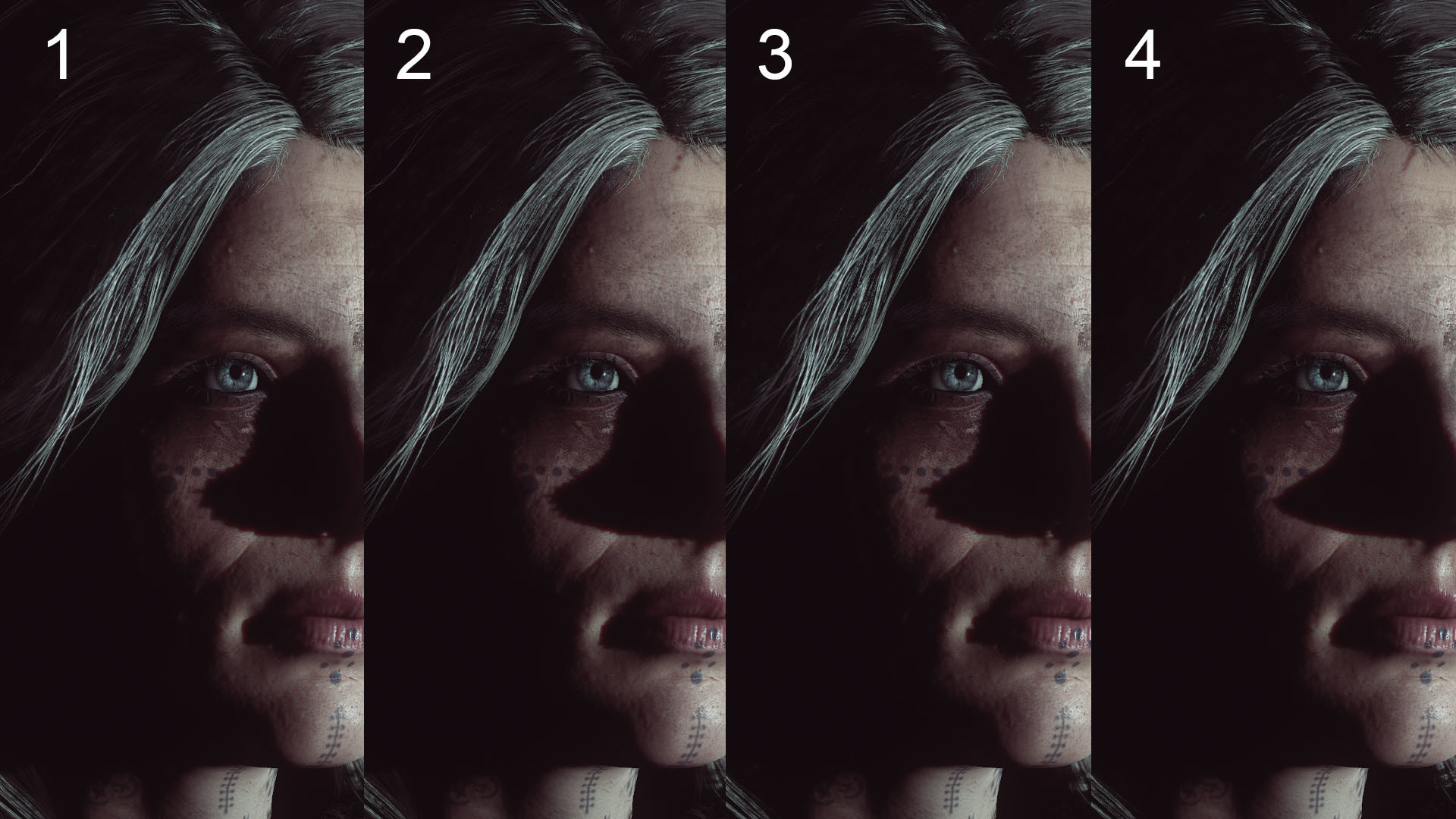
Shadows quality.
1.Omni Light with shadow resolution: High.
2.Omni Light with Shadow Resolution:Ludicrous.
3.Spot Light at an Angle of 120 shadow resolution: High.
4.Spot Light at an Angle of 30 shadow resolution: High.

Portrait Lighting progression

Portrait lighting setup